.svg)
Best business email finder for local business owner contacts (2026)
Most business email finder tools are built for the same use case: find the work email of a corporate employee using their LinkedIn profile or company domain. That works well for enterprise sales teams targeting named accounts at mid-market and large companies.
It doesn't work for local business prospecting.
A restaurant owner, a dentist, an auto shop operator, or a retail store manager is rarely on LinkedIn with a verified work email. Their business email isn't formatted as firstname.lastname@bigcompany.com: it's often a personal Gmail, a domain they registered themselves, or a contact buried in a local directory. Standard email finder tools miss this segment almost entirely.
This guide covers what to look for in a business email finder when your targets are local business owners and SMBs, and why the tool category most people know doesn't serve this use case well.
What is a business email finder?
A business email finder is a tool or platform that locates and verifies email addresses for business contacts. Most tools work by:
The key limitation of this approach: it assumes the target has a corporate email tied to a company domain and a professional online presence. Local business owners frequently have neither.
The local business owner email problem
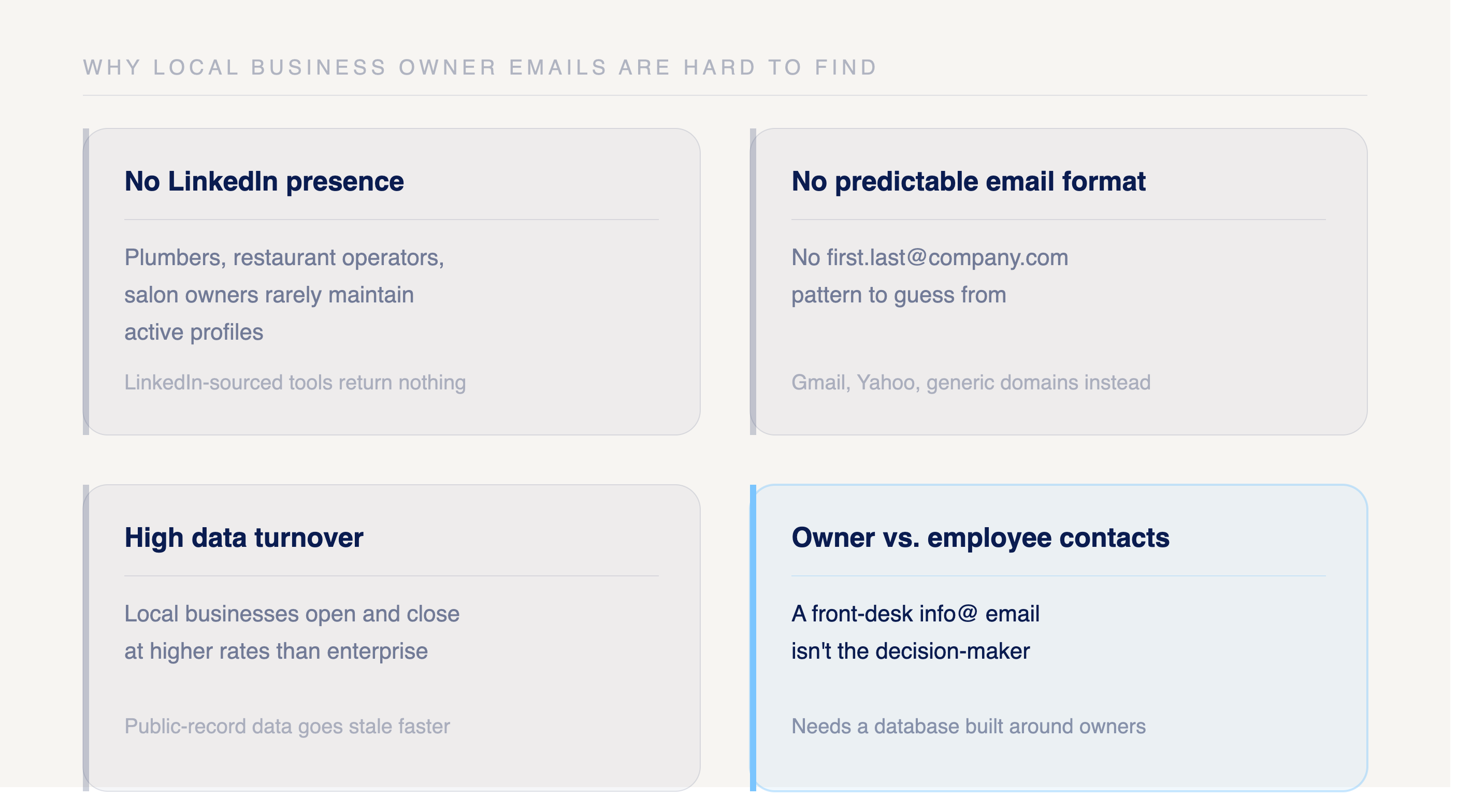
Finding a verified email for a local business owner is a different challenge than finding a corporate contact. The reasons:
No LinkedIn presence. Most local business owners: plumbers, restaurant operators, salon owners, medical practice owners, don't maintain active LinkedIn profiles. Tools that rely on LinkedIn-sourced data return nothing for this segment.
No predictable email format. Corporate email finders work by guessing email patterns (first@company.com, flast@company.com) from a known domain. Local businesses often use Gmail, Yahoo, or generic domain emails that don't follow predictable patterns.
High data turnover. Local businesses open and close at higher rates than enterprise companies. Data sourced from public records goes stale faster, and most general email finder tools don't refresh local business data at the frequency needed for accurate outreach.
Owner vs. employee contacts. Many local businesses have a front desk email (info@, contact@) that isn't the owner. For outreach that needs to reach the decision-maker, that's a dead end. Getting the owner's direct email requires a database built specifically around owner-level contact data.
What to look for in a business email finder for local businesses
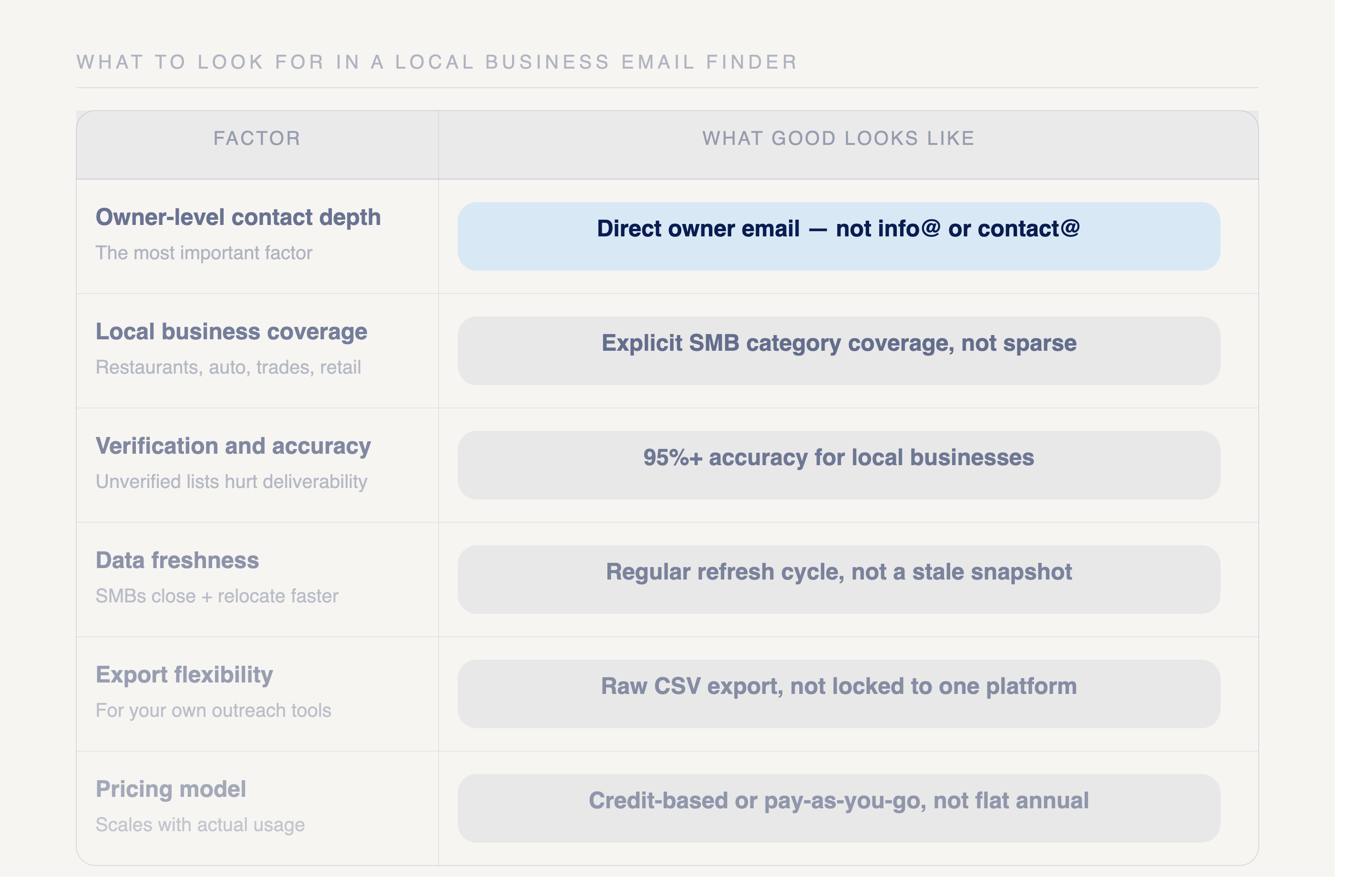
Owner-level contact depth. The most important factor. Does the platform surface the business owner's direct email, or a generic company contact? For local business outreach, owner-level data is the only contact that matters.
Local business coverage. How many local business records does the platform cover? A database built around Fortune 500 companies and mid-market firms will have sparse or nonexistent coverage of SMBs. Look for platforms that explicitly cover local business categories: restaurants, healthcare, auto, retail, trades, and professional services.
Verification and accuracy. An unverified email list creates deliverability problems. High bounce rates damage sender reputation and can get domains flagged. Look for platforms that publish accuracy rates and actively verify contact data. For local businesses specifically, 95%+ accuracy is the benchmark worth targeting.
Data freshness. Local businesses change ownership, close, and relocate more frequently than enterprise accounts. A database that isn't regularly refreshed will return stale contacts at a higher rate. Ask how often the platform updates its local business records.
Export and workflow flexibility. Can you download a CSV and use it in your own outreach tools? Some platforms lock contacts inside a proprietary workflow. For teams with existing email sequences or outreach tools, raw export capability matters.
Pricing model. Enterprise email finder tools charge annual contracts priced for large sales teams. Most SMB prospectors need a credit-based or pay-as-you-go model that scales with actual usage rather than a flat annual commitment.
Types of business email finders: which fits local business prospecting
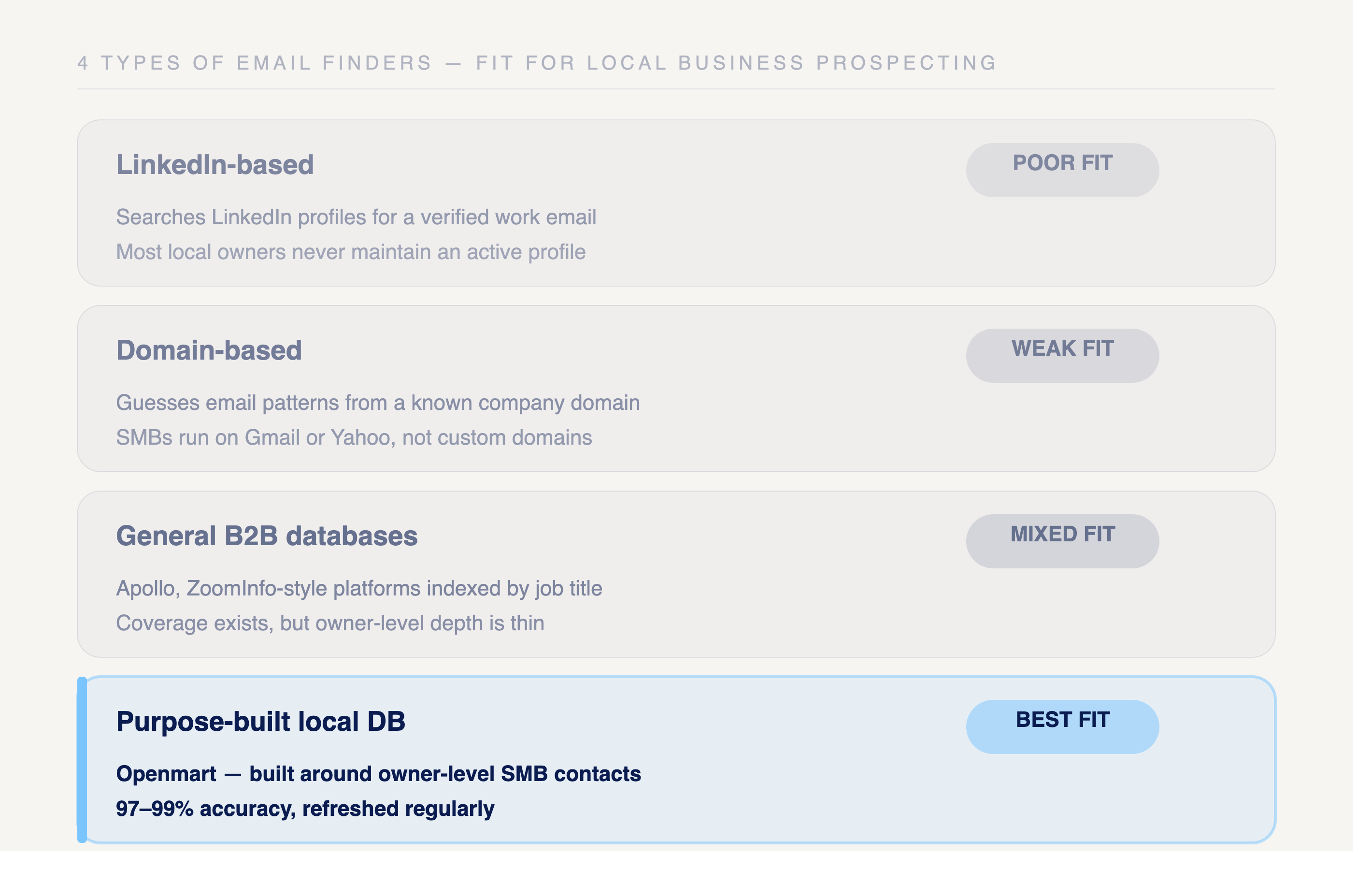
LinkedIn-based email finders
How they work: These tools search LinkedIn profiles and infer or surface email addresses tied to a person's professional profile. They work well for corporate contacts at companies with a significant LinkedIn presence.
For local business prospecting: Poor fit. The majority of local business owners don't maintain LinkedIn profiles. Coverage of SMB and local business contacts is minimal, and the data that does exist tends to be stale or incomplete.
Best for: Enterprise and mid-market sales teams targeting named accounts at companies with active LinkedIn presences.
Domain-based email finders
How they work: These tools take a company domain and return email addresses associated with it, usually by guessing common email patterns (first.last@domain.com) or scraping public sources tied to the domain.
For local business prospecting: Weak fit. Local businesses often use generic email providers (Gmail, Yahoo) rather than custom domains. Even when a domain exists, the email returned is usually a generic contact address rather than the owner's direct email.
Best for: Outreach to companies with professional domains and predictable email formats, typically mid-market and enterprise targets.
General B2B contact databases
How they work: These platforms maintain large databases of business contacts sourced from public records, LinkedIn, company websites, and data partnerships. Users search by company, job title, or industry to find contacts.
For local business prospecting: Mixed fit. General B2B databases have strong coverage of corporate employees and named accounts, but coverage of local business owners is typically thin. The contacts that do exist often lack owner-level depth, returning a generic business email rather than a direct owner contact.
Best for: Sales teams with a mix of enterprise and mid-market targets where some local business coverage is needed but not the primary use case.
Purpose-built local business databases
How they work: These platforms are built specifically around local business data: aggregating, verifying, and refreshing contacts for SMB categories like restaurants, healthcare, auto, retail, and professional services. Owner-level contact data is a core feature, not an afterthought.
For local business prospecting: Best fit. A purpose-built local business database covers the segments that general email finders miss, with owner-level email and phone data verified at the accuracy rates needed for deliverable outreach.
Best for: Sales reps, marketers, and prospectors whose primary targets are local businesses and SMBs.
Openmart's business owner finder is built for this use case. The database covers 200M+ local business records across 300+ categories with 97-99% verified accuracy: owner-level contacts across the SMB segments that standard email finder tools don't reach.
How Openmart approaches local business email finding
Openmart is built specifically for the local business prospecting problem. Rather than sourcing contacts from LinkedIn or corporate domains, the platform aggregates and verifies data across the SMB categories that standard email finder tools miss.
Key features:
Related articles


Start reaching local businesses today
No credit card required
100 free verified contacts


.png)
